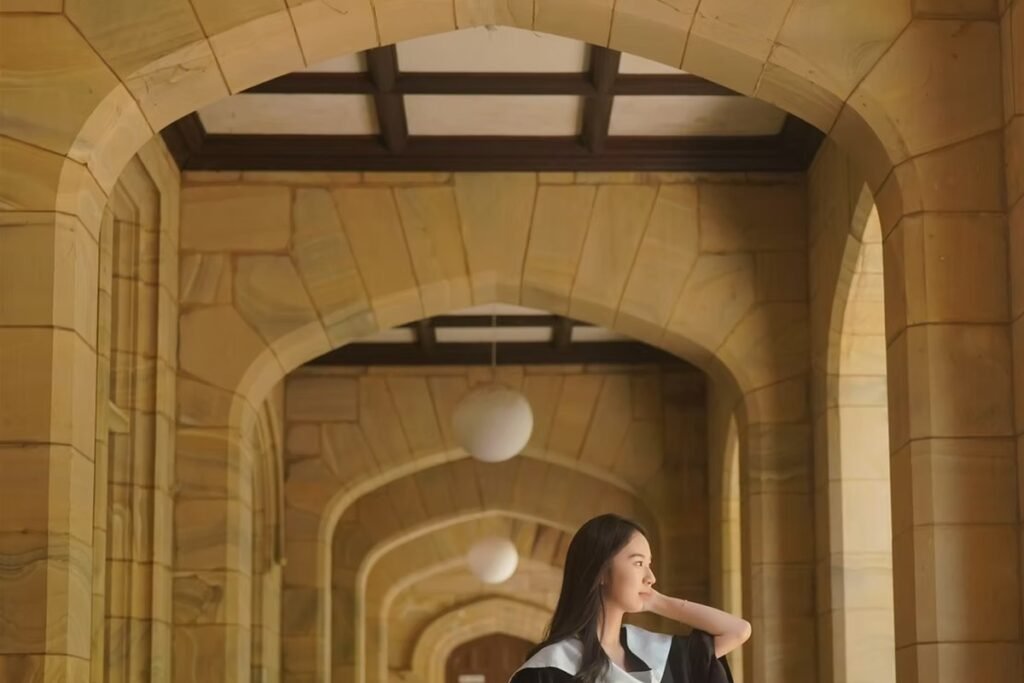
Melbourne Graduation Gown Hire

Common

Questions

Everything Melbourne graduates ask us about gowns, caps, hoods, props and photos.

Gown Rent FAQ

  • Same-day hire: $39
  • Overnight hire: $49

A $10 booking deposit is required to reserve your gown. This amount is deducted from the total rental fee.

Example for overnight hire:

  • Total rental fee: $49
  • Booking deposit already paid: $10
  • Remaining rental fee at pickup: $39
  • Refundable security deposit: $100
  • Total payable at pickup: $139

Yes. The $100 security deposit will be refunded after the complete gown set is returned on time and in its original condition.

If you pay the security deposit in cash, it can normally be returned immediately when you return the gown in person.

Cleaning, damage, missing-item or late-return fees may be deducted from the security deposit where applicable.

Please provide:

  • Your university
  • Degree or faculty
  • Graduation date
  • Pickup and return dates
  • Your height
  • Your usual clothing size

A $10 booking deposit is required to secure the booking. Please send us a payment screenshot after payment.

Please confirm the included items when booking. A standard set may include:

  • Graduation gown
  • Faculty hood or stole
  • Graduation cap

The exact colour and design depend on your university and degree.

Please tell us your university and full degree name. We will help confirm the appropriate faculty colour.

For example, the University of Melbourne Bachelor of Arts normally requires the dark-blue faculty colour.

We normally recommend a size based primarily on your height (cm) and general clothing size. Please provide both when making the booking.

You may also check the fit when collecting the gown, subject to alternative sizes being available.

Pickup and return are available at Glenlyon Road, Brunswick, Victoria.

We currently do not have a pickup location in Melbourne CBD.

Our standard hours are 9:00 am–6:00 pm.

Please confirm your estimated arrival time in advance. Pickup or return outside these hours must be arranged and confirmed beforehand and will be treated as overnight hire.

Yes. You may arrange Uber Package or another courier service.

Please:

  • Notify us in advance
  • Pay the remaining rental fee and security deposit by PayID before collection
  • Share the Uber booking details with us
  • Make sure the driver collects from the correct address

The customer is responsible for all delivery costs and courier arrangements.

Yes, but please tell us their name and contact number in advance. All outstanding payments must be completed before the gown is released.

Please contact us as soon as possible if you expect to be late. Additional rental or late-return fees may apply because the gown may already be reserved for another customer.

Normal minor wear is acceptable. Additional cleaning, repair or replacement costs may apply for stains, mud, makeup, damage or missing items. Any applicable amount may be deducted from the security deposit.

Changes are subject to gown availability. The $10 booking deposit reserves your gown and is normally non-refundable if you cancel, because the item has been held for your dates.

We recommend booking as early as possible, especially during University of Melbourne graduation periods. Colours and popular sizes may sell out.

Please message customer service when you are on your way. If someone else is collecting for you, please tell us in advance.

Please bring:

  • The remaining rental payment
  • The $100 refundable security deposit
  • Your booking name or payment screenshot

Add us on WhatsApp or message us at 0420 525 872.

Photo & Video FAQ

Your high-resolution photos and videos will normally be delivered through a private Google Drive download link.

Once your files are ready and the remaining balance has cleared, we will send you the high-resolution download link.

A payment screenshot may help us locate the transaction, but the payment must be received before the final files are released.

The download link will normally remain active for 7 days.

Please download all files to your own computer, external drive or another permanent storage location before the link expires. Long-term online storage is not included unless agreed upon separately.

Google Drive on an iPhone may allow you to view or save individual files, but it may not provide a convenient option to download an entire folder at once.

For a large photo or video delivery, we strongly recommend using a laptop or desktop computer.

Having access to a Google Drive folder means you are permitted to view and download its contents. However, the available download options depend on your device, browser and Google Drive app.

This is a device or platform limitation and does not mean that access has been restricted.

On a laptop or desktop computer:

  1. Open the Google Drive link.
  2. Select the folder or files.
  3. Click “Download.”
  4. Google Drive may compress the files into one or more ZIP files.
  5. Save the downloaded files to your computer or external drive.

Please ensure your device has sufficient free storage space.

You may open the link in Safari or Chrome and request the desktop version of Google Drive. However, downloading a large folder through a phone browser may still fail or be interrupted.

A computer remains the most reliable option.

Large photo and video deliveries cannot be sent as ordinary email attachments because email providers have strict attachment-size limits.

Splitting a full delivery into many emails may require dozens or hundreds of messages and is not a practical or reliable delivery method. The files will therefore be supplied through Google Drive or by USB.

We do not normally split large deliveries across multiple emails. Email is unsuitable for full-resolution photo and video files and may reduce reliability, create missing files or cause emails to be rejected.

You may provide a USB drive or portable storage device.

Please arrange a time to drop it off at our Brunswick studio. We will copy the files onto it, and you can normally collect it the following day.

The customer is responsible for providing a compatible storage device with sufficient available capacity.

Some iPhones can read compatible USB drives or external storage devices using the appropriate connector or adapter.

Compatibility depends on your iPhone model, USB format and available power. Please check that your device can read the USB before choosing this option.

Customers should normally provide their own USB drive or external storage device. If you need us to supply one, please ask in advance. The USB drive and any delivery charges may involve an additional fee.

The required space depends on the number of photos, video resolution and video duration. Video files, especially 4K footage, can be very large.

We recommend checking the folder size and making sure your device has more free space than the total delivery size before beginning the download.

Photos usually upload faster than videos. Large video files may take several additional hours to finish uploading, depending on their size and internet speed.

Please wait until we confirm that the upload is complete before downloading the full delivery.

Google Drive may need additional time to process a large video for online preview. This does not necessarily mean that the file is damaged.

You may download the original file once it becomes available, even if the online preview is still being processed.

Yes. The download folder contains the final high-resolution files included in your agreed package.

Online previews may appear lower in quality, but the downloaded original files retain their delivered resolution.

The client is responsible for keeping the link secure. If the link is shared with other people, they may also be able to access the files.

Please download and store the files privately before the link expires.

The folder may be removed after the stated expiry date. Re-uploading or restoring archived files may take additional time and may incur a file-recovery or re-upload fee.

Please contact us as soon as possible if you require an extension.

Yes. After downloading the files, we recommend keeping at least two copies—for example, one on your computer and one on an external drive or cloud-storage account.

We cannot guarantee permanent storage after the delivery link expires.

Please try the following:

  • Check that you have a stable internet connection.
  • Open the link in Safari, Chrome or another browser.
  • Try using a laptop or desktop computer.
  • Confirm that your device has enough storage.
  • Send us a screenshot of any error message if the problem continues.

What Graduates Say

Real words from Melbourne graduates who hired their gown, cap and props from us.

“Booked on the Monday, had it by Wednesday, and the colours were spot on for my RMIT ceremony.”

Graduation Tips

Guides and checklists for your graduation day.

How to pick the right gown size

How to pick the right gown size

Everything Melbourne graduates ask us about gowns, caps, hoods and…

What to wear under your graduation gown

What to wear under your graduation gown

Everything Melbourne graduates ask us about gowns, caps, hoods and…

Academic hood colours explained

Academic hood colours explained

Everything Melbourne graduates ask us about gowns, caps, hoods and…